
Legitimate traffic
Visitors and search engines
Your site stays with your current host. To turn on protection, you change one DNS record (the A record) to the IP address we give you.
Message us on Telegram or open a ticket. We send you a protected IP address and short instructions.
Enter the new address in your DNS settings. Your site files, email and database stay on your server.
Malicious traffic is stopped before it reaches your server. Visitors use your site as usual.
Every request is checked at the edge of our network. Attack traffic is cut off right away. We do not wait to collect statistics first, so your site stays available to customers.
Reaction time: 0.1 seconds. Protection turns on automatically. Nobody has to do anything.
The system blocks SYN flood, UDP flood, HTTP flood and other attack types at all these layers. Real visitors pass through without extra checks.
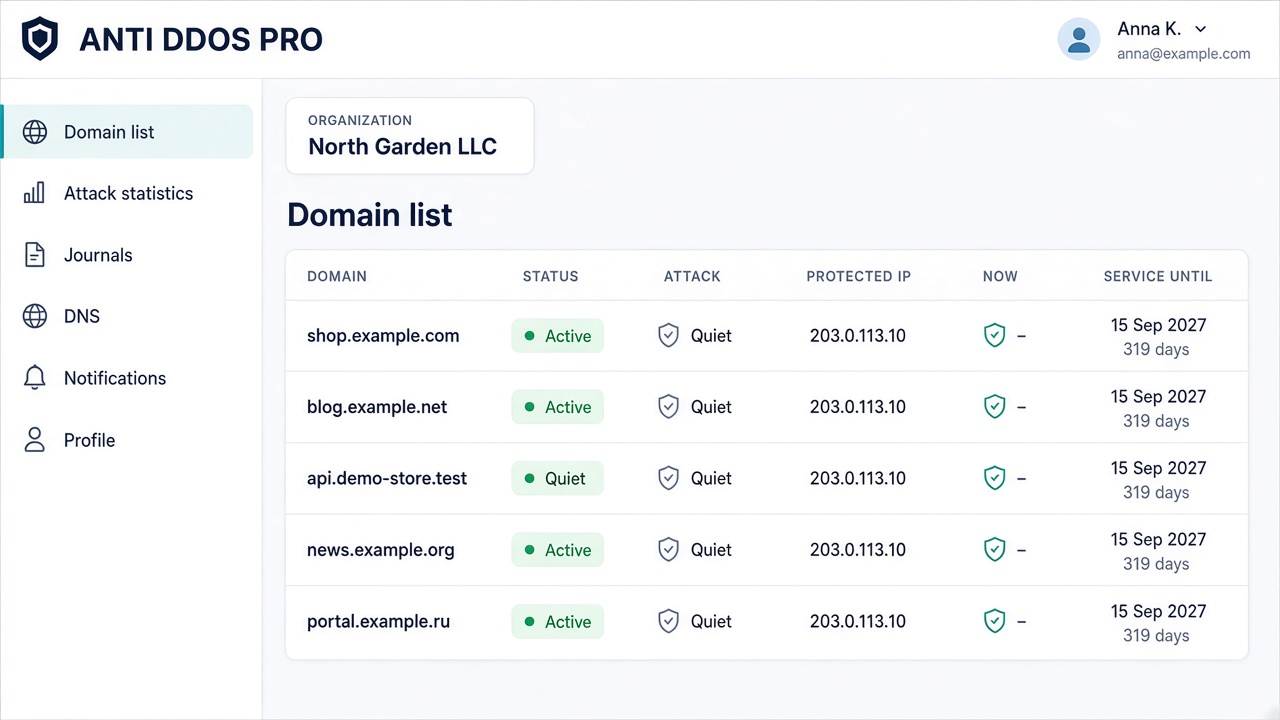
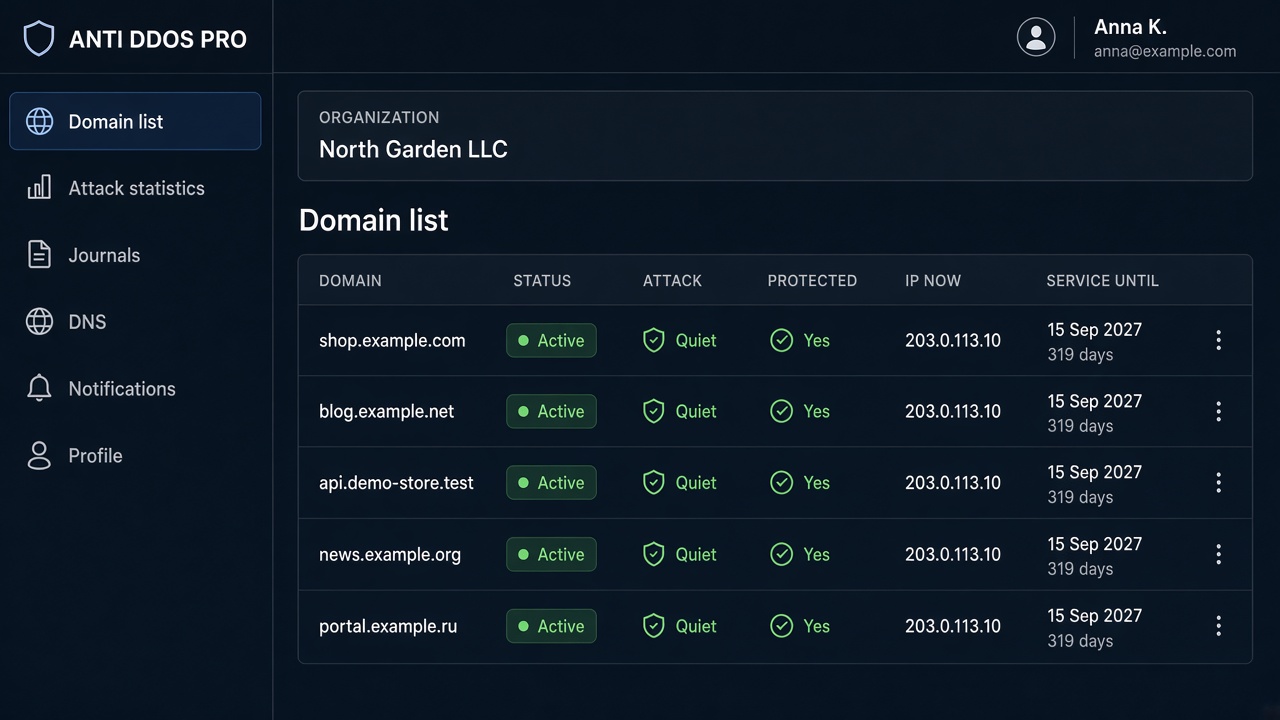
The panel is easy to use, and the protection settings you need are already in it. The domain list shows status and whether an attack is happening, with request and traffic charts next to it. In the filter settings you change the origin server, protection mode and WAF, and the certificate and DNS records in the same place, and you get a notification when an attack starts.
When your site is down, you quickly lose revenue, customer trust and search rankings.
While your site is down, orders and requests go to competitors whose pages open.
A few minutes of waiting and the visitor closes the tab. Winning them back is much harder than keeping them.
Complaints appear in reviews and chats right away. Rebuilding trust takes weeks.
A flood of requests makes it easier to miss a hacking attempt. Filtering removes this noise before it reaches your server.
Search engines rank unavailable pages lower. Getting your position back is harder than avoiding the downtime.
If your contract promises availability, downtime can lead to claims and penalties.
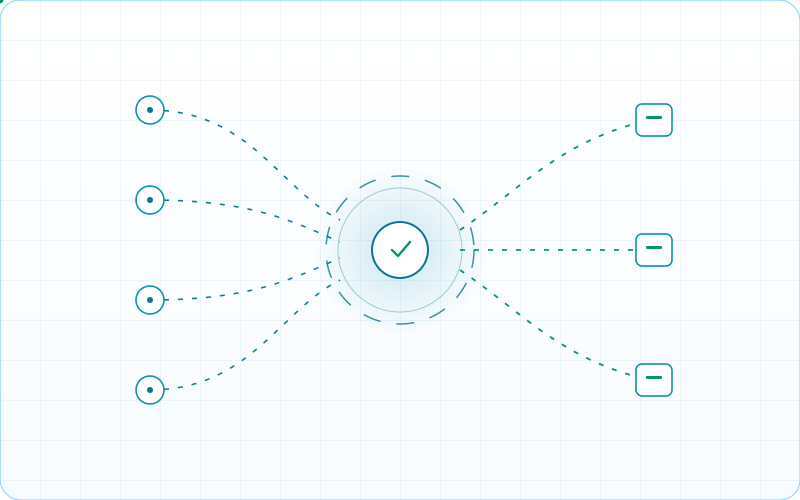
Incoming traffic goes through the Anti-DDoS PRO filter. Only checked requests reach your server.
Visitors and search engines

Floods, scrapers, password guessing

Requests are checked before they reach your server
Attacks blocked
Only checked traffic reaches your server
Online
Competes with the attack for your server's bandwidth
Go straight to your IP

Resources are used up and the site is down
Overloaded
Network attacks over TCP, UDP and ICMP are stopped at our filtering nodes. They do not use up your server's bandwidth.

HTTP and HTTPS requests are analyzed separately. Mass requests to your pages are cut off, and regular visitors pass without delay.

Scrapers and password guessing are limited by how the request behaves, with no CAPTCHA. Search engine bots keep access. Protection works around the clock.

The system learns what normal traffic to your site looks like. When an attack starts, filtering rules apply automatically.
Numbers you can rely on when choosing a plan.

Filter reaction time
Availability on the top plan

Filtering network capacity
Three ready-made plans, plus an individual plan when the bandwidth is not enough. Ready-made plans include a free SSL certificate and setup in 5 minutes without changing hosting.
The plan price does not rise with an attack
For small sites and landing pages
$55
/month
$660
$594
/year
Measured at the 95th percentile. Attacks are not counted.
5 Mbps × 30% load = 486 GB/month. At 10 MB per visit, that is about 50k visits.
For online stores and business websites
$75
/month
$900
$810
/year
WebSocket support
Measured at the 95th percentile. Attacks are not counted.
20 Mbps × 30% load = 1.9 TB/month. At 10 MB per visit, that is about 200k visits.
Maximum protection for large businesses
$130
/month
$1,560
$1,404
/year
WebSocket support
Measured at the 95th percentile. Attacks are not counted.
50 Mbps × 30% load = 4.8 TB/month. At 10 MB per visit, that is about 500k visits.
When 50 Mbps on WebBusiness is not enough, or you need terms of your own. Bandwidth, the number of domains and the response time are agreed separately.
On request
Write to us. We will tell you which plan fits your traffic and how to change the A record without moving your site.
Move up when the included bandwidth is no longer enough: 5 Mbps on WebStart, 20 Mbps on WebMiddle and 50 Mbps on WebBusiness. That is site traffic, attacks excluded. Subdomains, WebSocket, caching, the SLA and support response time increase with the bandwidth. If 50 Mbps is still not enough, the Individual plan is requested with the “Discuss” form on this page.
Our nodes are in Tier IV data centers. The main filtering points are Moscow and Saint Petersburg. Capacity without connection tracking is more than 2 Tbps. With connection tracking it is more than 800 Gbps.
Attack response time: 0.1 seconds. We analyze traffic all the time. Protection switches on before the load affects your site.
If one location is busy, traffic moves to a neighboring one. Your site stays available even during a heavy attack.
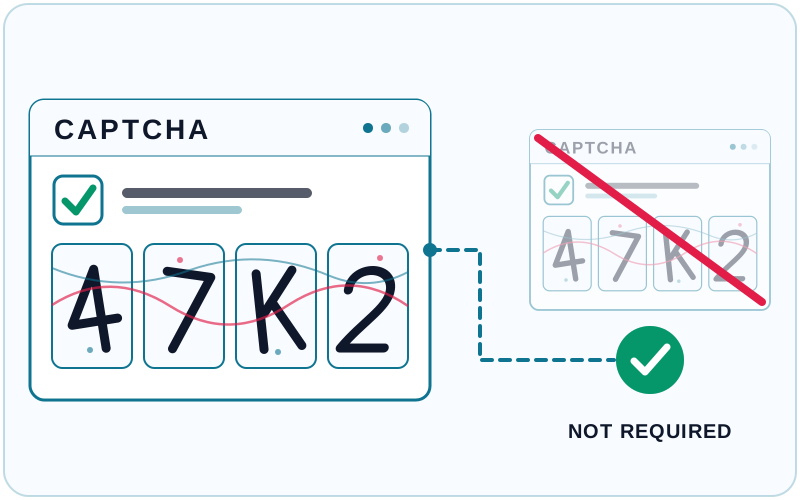
CAPTCHAs and “I'm not a robot” checks annoy visitors and hurt user behavior metrics. We do not use them.
Our filter tells a visitor's browser from a scraper or a flood by the request itself. People pass without extra steps. Search engine bots keep indexing your site.
For your visitors the site works as before. Bot protection runs on our side, around the clock.
The zone is answered from the nearest node, and there are more than 200 of them. A DNS flood is dropped at the node. A normal query gets an answer.
A and AAAA records can use GeoDNS. The answer follows country, continent or region, including regions in Russia, an ASN, the client IP, or distance to the server. Addresses can carry different weights.
If an address stops answering, an HTTP, TCP, UDP or ICMP check removes it from the reply and puts it back when it answers again. Zone replies are signed with DNSSEC.

Anti-DDoS PRO absorbs the hit on its network. Only checked requests reach your server — visitors keep opening pages even while an attack is running.
Network and application floods are stopped at filtering nodes, so junk traffic does not fill your server channel.
Mass hits on pages and APIs are limited by request behavior. Regular visitors pass without delay.
Traffic from thousands of addresses is cut off before your server. The filter reacts in 0.1 seconds, with no manual switch.
Automated data harvesting and password guessing are limited around the clock, with no CAPTCHA for people.
Filtering capacity is measured in terabits. The attack stays on our side while your host keeps serving the site.
While the page opens, leads and payments stay with you. Filtering reduces the risk of hours offline at the peak of an attack.
Five steps to finish before changing the A record — protection turns on faster and without surprises.
What protection costs, whether it affects indexing, how the filter works, and what happens to domains after you connect.
It is a deliberate overload of a website or server with a large volume of traffic or requests. Legitimate users cannot open pages, place orders or sign in.
Attackers often use distributed botnets, so stopping the hit with a single server firewall is hard. You need a separate filtering network with enough capacity.
At L3–L4 the system stops network attacks: SYN flood, UDP flood, ICMP and similar packet floods. They should not use up your server bandwidth.
At L7 the system analyzes HTTP and HTTPS requests. Mass hits on pages and APIs are limited, while regular visitors pass without extra checks and without CAPTCHA.
Hosting keeps your site online for normal traffic. During a strong attack the server channel and resources run out quickly, and pages stop opening for visitors.
Anti-DDoS PRO filtering absorbs the hit on its network and forwards only checked traffic to you. Your site stays on its current host.
Attacks often start without warning. Connecting in advance takes minutes. Recovering after downtime takes hours and lost orders.
Automatic filtering watches the traffic profile all the time and applies rules as soon as abnormal load grows, without waiting for a manual admin response.
There is no CAPTCHA for visitors, so search bots keep indexing the site. Only the A record changes, and the site stays on your hosting.
That lowers the risk of downtime, which is what search engines use to demote pages that stay unavailable.
On the plan you choose, not on the size of the attack. Ready-made plans have a fixed price, from $55 a month. The Individual plan is quoted separately.
A ready-made plan includes legitimate traffic at the 95th percentile: 5, 20 or 50 Mbps. Attacks are not counted in that volume. The Individual plan is requested with the “Discuss” form on this page.
You do not need to move your site. You change your domain's A record to a protected IP address, which we give you after your request.
We send instructions right away. Setup takes about 5 minutes. Your hosting and site files stay yours. How soon the new A record appears depends on the TTL at your registrar: often the same few minutes, sometimes longer.
Plans include your main domain and a set number of subdomains (5, 10 or 20, depending on the plan).
If several subdomains point to the same IP address, only the ones you name when you activate the service, and whose A records you change to the protected IP, will be protected.
Important: When you activate protection, tell us every subdomain you want protected. We add them to our system. The number of protected subdomains is limited by your plan.
No. The service is issued for the main domain named when you connect. It cannot be replaced with another domain, whether once a month or on any other schedule.
A different domain needs its own new service. Subdomains within the plan limit can still be added to the domain that is already connected.
If an attack targets your protected main domain, our system filters out all the malicious traffic. Unprotected subdomains keep working as usual, because the attack traffic never reaches your server.
If an attack targets an unprotected subdomain, and that subdomain is on the same server, the whole server can be affected, including your protected main domain.
Recommendation: Protect every critical subdomain, especially those on the same server as your main domain.
Yes. If you find that an attack is hitting an unprotected subdomain, add it to protection.
You will need to:
1. Tell our technical support which subdomain to add
2. Change that subdomain's A record to the protected IP address
3. Move to a plan with more subdomains, if needed
If attackers hit your server's IP address directly and skip your domain, changing DNS records will not help. That traffic does not pass through our filtering system.
Solution: Change your server's IP address and do not share the new one publicly. All traffic must come only through our protected IP address.
Prevention: Do not use your server's direct IP address in public settings. Always send traffic through DNS that points to the protected IP.
Move up when the bandwidth is no longer enough: 5 Mbps on WebStart, 20 Mbps on WebMiddle, 50 Mbps on WebBusiness. Subdomains, WebSocket, caching, the SLA and support response time increase with it.
Changing plans does not move the site: service limits update, and the list of protected names if needed. If 50 Mbps is still not enough, the Individual plan is requested with the “Discuss” form on this page.